
I shouldn’t even need to create this tutorial because the process is that easy… but I still did.
Because I understand how most people start shitting bricks the moment they hear tech stuff is involved. I’m the same.
Hell… I changed my pants twice just for this.
Now let’s see how you can migrate your worthless wonderful GPTs to plugins before the December 11, 2026 deadline.
Do note: You can only migrate GPTs you created yourself, not GPTs from the marketplace or ones you obtained (purchased) from someone else. They’ll have to do the migration… ahem… while you pray they do.
Log In to Your ChatGPT Account… and…
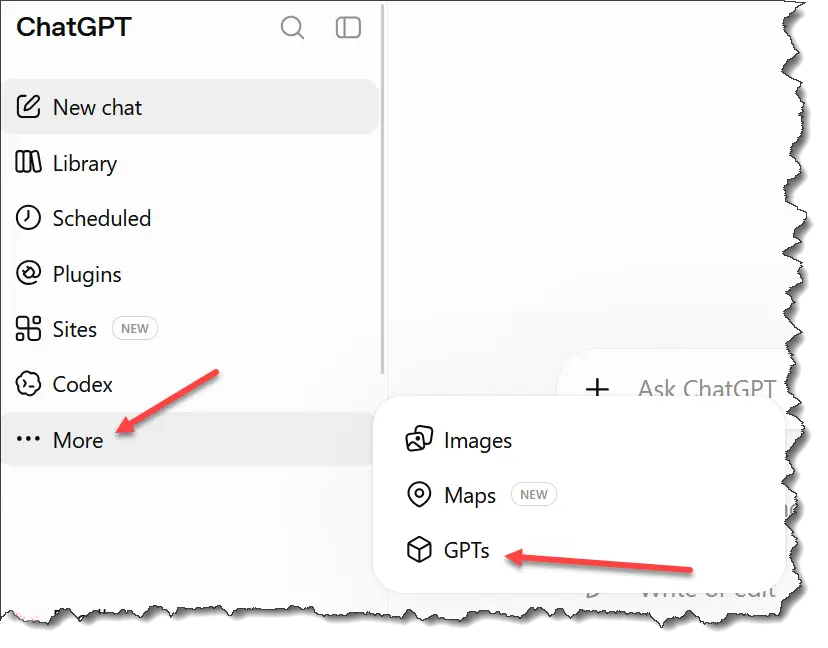
Click on ‘More’, then click on GPTs.
Then click on ‘My GPTs’
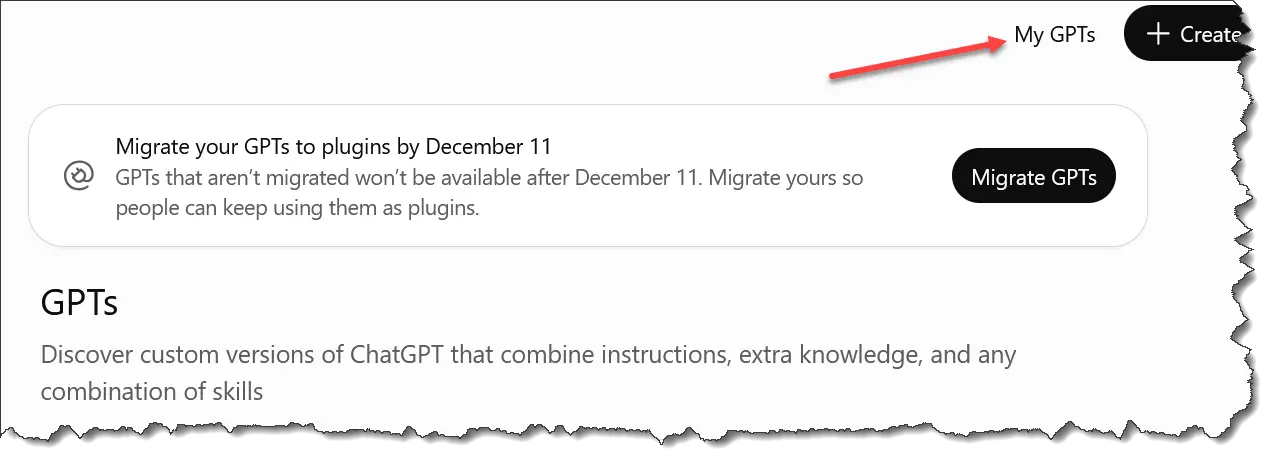
From here, you’ll see all the GPTs you have.
I only have one GPT in my account…
1. Because I mostly use ChatGPT for proofreading – though at times, it messes up this simple task too.
2. I’m a gifted writer and have way more flair than Chatty. So I rarely use it. Arun Intelligence is the real AI.
So where was I before I started bragging?
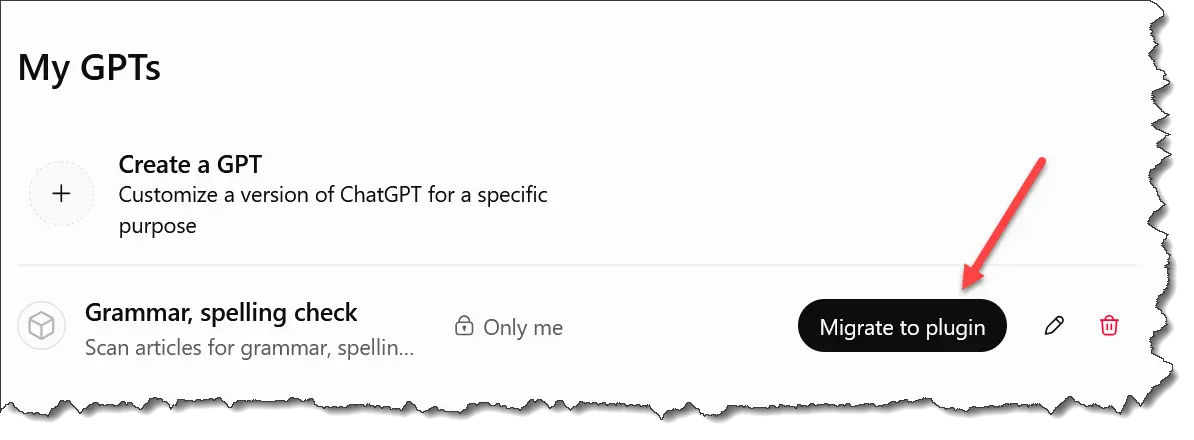
Ah yes… you’re seeing your GPTs now. Click on ‘Migrate to Plugin’.
Next, you’ll see this…
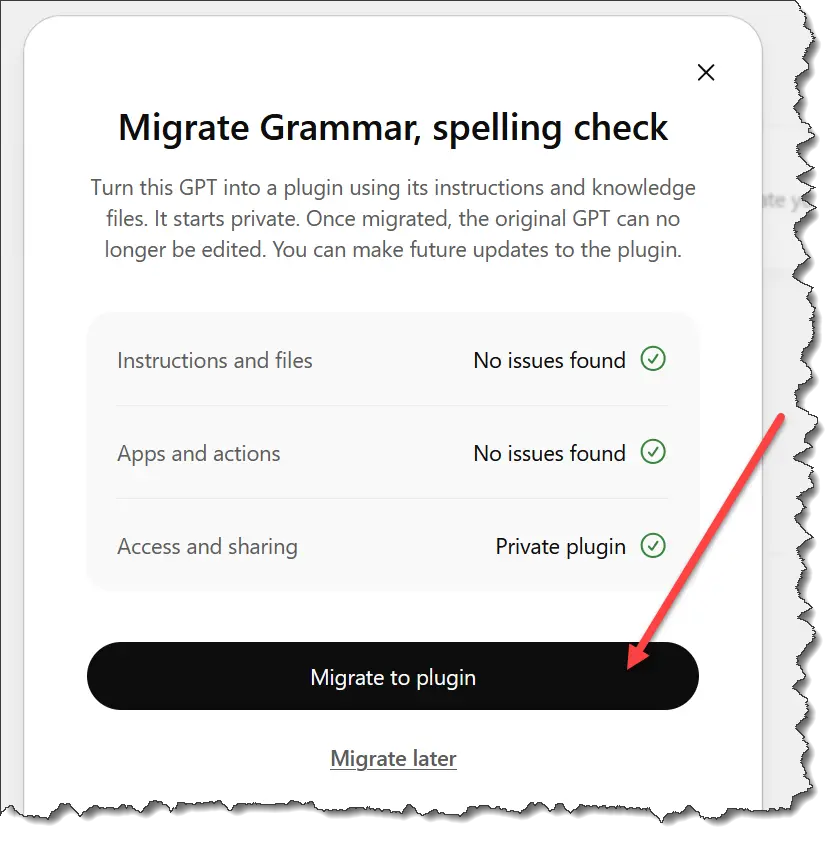
Click on the button.
When it’s done, you’ll see this…

See… it’s that easy!
To see your plugins, just click here…
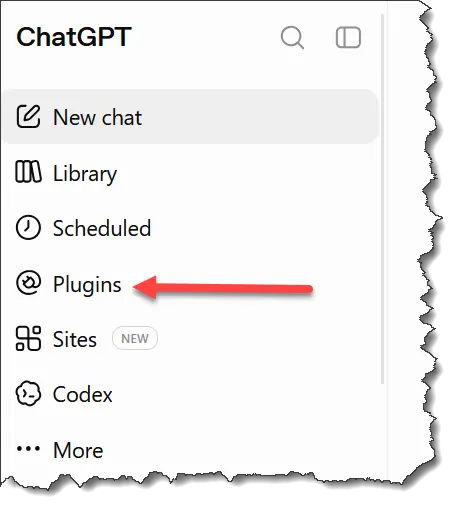
Usually, you’ll be shown plugins in the marketplace.
Don’t panic. Just click on the ‘Personal’ tab, and you’ll see all your own plugins.
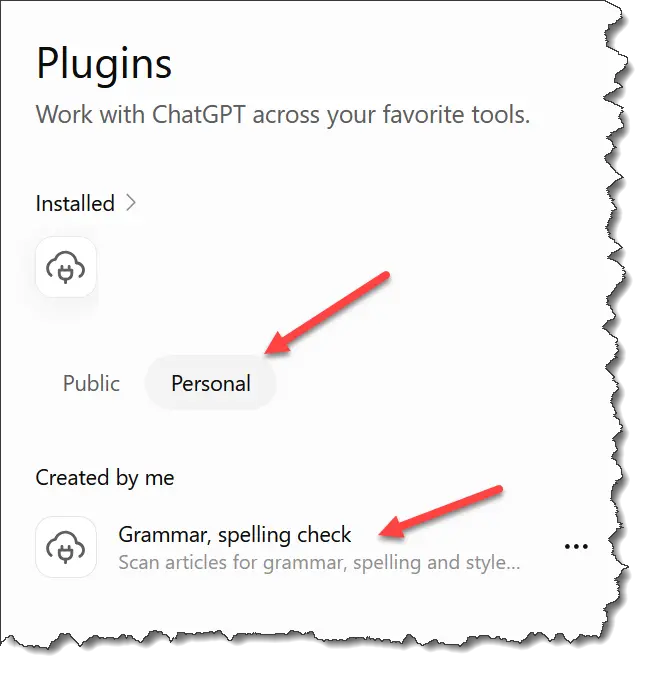
Tutorial over. You’re welcome.