I’ve been doing this online marketing thing long enough to know that most newbies struggle with the tech side of building a digital store.
And honestly… I don’t blame them. Been there, done that, and might still have the T-shirt. Total pain in the a**!
Between WordPress, WooCommerce, plugins, themes, settings, updates… setting up a store is enough to give Freddy Krueger nightmares.

Thankfully, now with Systeme.io, you can easily set up a store in minutes with just a few clicks. Everything is easy and well integrated.
(Of course, you’ll need a Systeme.io account. If you don’t have one, you can sign up for a free account here.)
I’ve put together a playlist of training videos that show you how to build your very own store on Systeme.io quickly and easily.
Quick note…
Just like with the Canva AI training I shared before… I didn’t create these videos.
They were recorded by Charles Harper, and as always, he has done a good job walking you through the process in a way that’s easy to follow.
I have the rights to share this training. So, use it to build your store.
How to Watch the Training
Click the link below to access the training. You can watch all the videos on your own time, at your own pace.
👉 Watch the Digital Store Training Here
Once you click on the link, you’ll see this playlist…
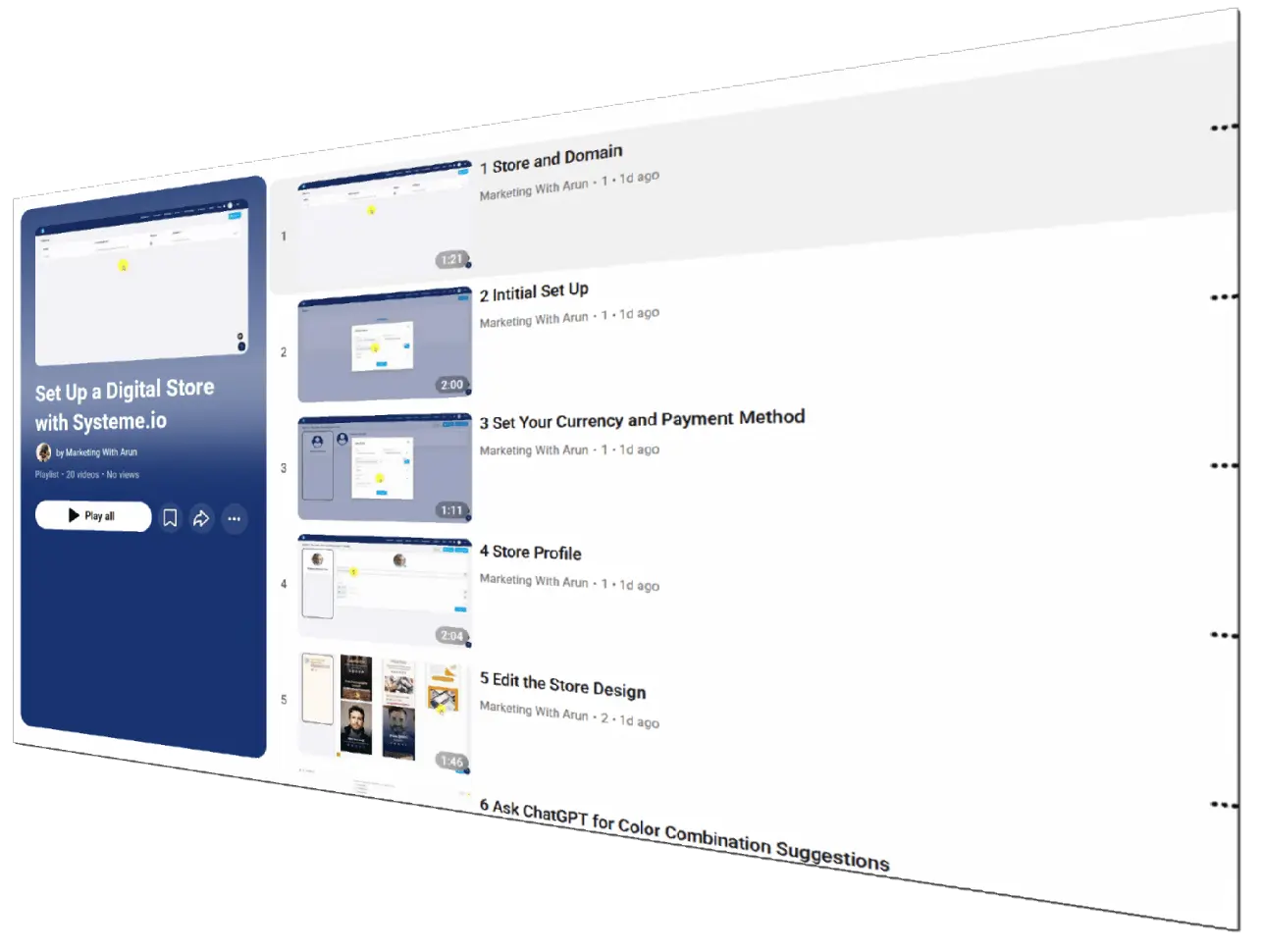
Note: Charles does not show you how to add a custom domain to your Systeme.io account in this training.
But don’t panic… you can watch my video here. See, I’ve got your back.
Video breakdown
Here’s the full list of videos so you know exactly what’s covered:
- 01 – Store and Domain
- 02 – Initial Setup
- 03 – Setting Currency and Payment Method
- 04 – Store Profile
- 05 – Editing the Store Design
- 06 – Getting Color Combination Ideas with ChatGPT
- 07 – Adding Sections and External Links
- 08 – Promoting Systeme.io as an Affiliate in Your Store
- 09 – Setting Up a Digital Download
- 10 – Creating a Price Plan
- 11 – Editing the Confirmation Email
- 12 – Editing the Thank You Page for Digital Downloads
- 13 – Creating a Newsletter Sign-Up for Your Store
- 14 – Understanding Digital Store Language in Help Screens
- 15 – Maximum Number of Digital Stores You Can Create
- 16 – Managing Digital Store Contacts
- 17 – Tagging Contacts
- 18 – Using Tags with Rules
- 19 – Setting Up an Email Campaign
- 20 – Launching Your Digital Store
Watch one video at a time and take action after that.
That’s the best way to build a store systematically. Follow the process and you’ll have a brand new store in no time at all.
Don’t try watching the videos all at once like you’re binge-watching Tulsa King.