
CapCut has become one of the easiest tools for creating short videos, social media clips, promos, reels, and all that good stuff marketers need these days.
And no, you don’t need to be a popular OnlyFans star to create videos that have people drooling.
You just need to understand the basics of video creation.
Once you know where things are and how the main features work, CapCut becomes a lot less scary. In fact, it can actually be quite fun to use.
Anyway, I’ve put together a free video training playlist that shows you how to create cool videos with CapCut… ahem… without needing to get nude.
If you want to make better-looking videos for your content, promotions, social media posts, or marketing campaigns, this training will help.
Just So You Know…
Just like with the Prompt Engineering Training I shared before… this is Charles Harper’s training.
Real men like me use handheld videocams… not CapCut. HA! Damn, my age is showing.
Jokes aside, this is good training… and thankfully, I have the rights to share it with you. You’re welcome.
How to Watch the Training
Click the link below to access the training. You can go through the videos whenever you have time and learn at your own pace.
👉 Watch the CapCut Training Here
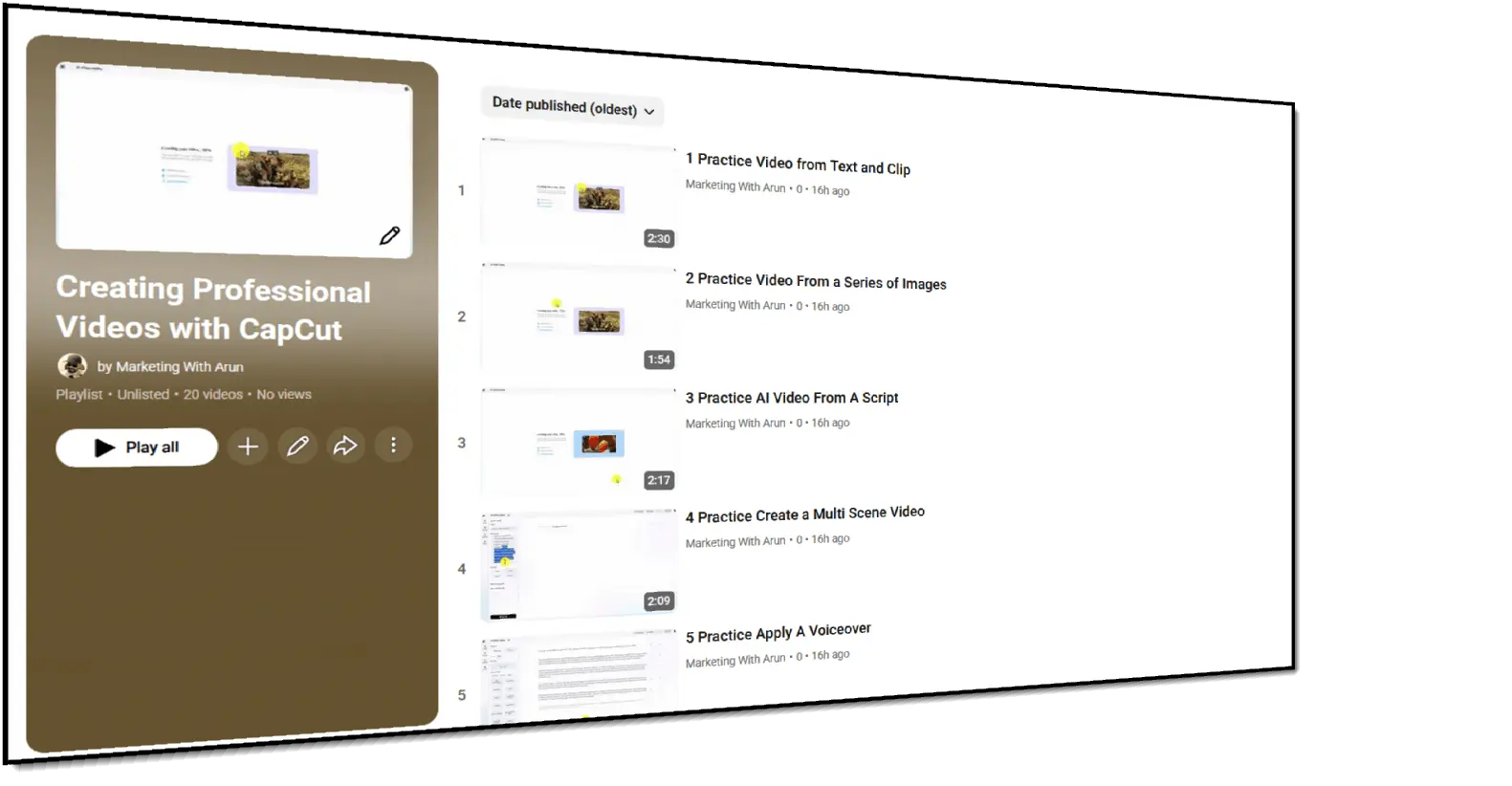
Once you click on the link, you’ll see this playlist…
Video breakdown
Here’s everything that’s covered in the training:
- Practice Video from Text and Clip
- Practice Video From a Series of Images
- Practice AI Video From A Script
- Practice Create a Multi Scene Video
- Practice Apply A Voiceover
- Practice Match Stock Media to a Project
- Practice Changing the Scene Image
- Practice Add Dynamic Captions
- Practice Adding Music to Your Multi Scene Video
- Practice Moving the Video to the CapCut Editor
- Practice Edit in a Voiceover for the Entire Video
- Challenge Step 1 Project From Scratch Help From ChatGPT
- Challenge Step 2 Scripting Controls
- Challenge Step 3 Create and Apply the Voiceover
- Challenge Step 4 Applying Media to Individual Scene Order of Operations
- Challenge Step 5 Adding In Media
- Challenge Step 6 Making Edits to the Video
- Challenge Step 7 Adding In Captions
- Challenge Step 7 Audio Editing and Music
- End of Challenge Downloading and Refinement
Don’t try to finish the entire playlist in one sitting like YouTube is going to disappear tomorrow.
Watch one video and try what was shown. Then move to the next one.
By the time you go through the training, you’ll have a much better idea of how CapCut works and how to use it for your own videos.
You won’t become Steven Spielberg overnight. But you’ll know enough to create cleaner, better-looking videos for your marketing.
Now your videos will be awesome, get the point across, and not look like someone opened CapCut, saw all the effects, and said, “Yes!”
So watch the training, follow along, and start creating videos you can actually use.
Your future social media posts will thank you.